Damaged Serial Connector on Your SMART Board 500 Series Interactive Whiteboard
|
SMART Hardware |
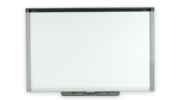
SMART Board 500 series interactive whiteboards |
Issue
The 9-pin serial connector under the interactive whiteboard’s pen tray is broken off or damaged.
Cause
The serial connector has captive nuts that allow you to secure the serial cable’s DB9 connector. If you accidentally pull the serial cable while it is secured, you may break off the connector or damage its pins.
Tip
To avoid damage to your serial connector, route the cable so that you can’t trip over it. Purchase a 50’ (15.2 m) SMART serial cable (Part No. FRU-93-067-00), if necessary.
Solution
Replace the interactive whiteboard’s serial controller. The serial controller replacement kit includes step-by-step instructions for replacing the damaged unit.
To order a replacement serial controller (Part No. SC7-SB5) or to locate an authorized service center, contact your local reseller. To find a reseller near you, visit www.smarttech.com/where.
Note
Accidental damage to the serial controller on your SMART Board 500 series interactive whiteboard isn’t covered by the product’s two-year parts and labor warranty.
|
First Published |
June 8, 2007 |
|
Last Updated |
October 26, 2007 |