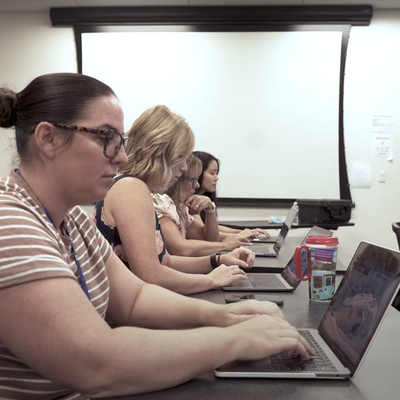
Make meetings more collaborative, engaging and productive with the SMART Board® 600 series interactive whiteboard. Intuitive, dependable and adaptable, the 600 series enables you to share information, record ideas and decisions, save notes and distribute meeting results easily. Meetings become opportunities for true collaboration, where every idea is captured and every voice is heard.
Inspire true collaboration
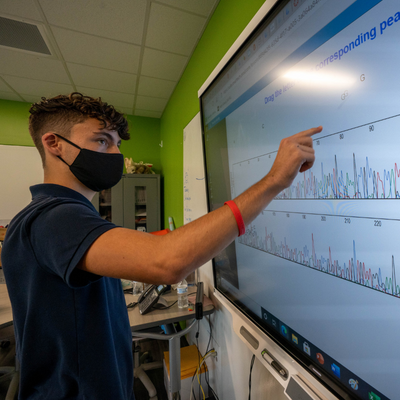
Unleash your team’s potential with the SMART Board 600 series interactive whiteboard. With the 600 series, you can share digital material, analyze data, brainstorm, solve problems and document decisions more efficiently than ever before. Interactive meetings mean improved teamwork and greater productivity, since everyone is engaged and contributing ideas.
Save your ideas
Imagine having the ability to write notes and comments over digital material such as applications, websites and documents - and being able to save them for review or distribution. The 600 series includes SMART Meeting Pro software, which installs on your dedicated meeting room computer to provide whiteboarding and data capture capabilities. Meeting Pro inspires collaboration with its easy, intuitive interface - anyone can walk up and use it. You can write notes in digital ink over any document, application or website on the SMART Board interactive whiteboard and save them as a screenshot in a PDF or PPT file. Marked-up pages, revised documents, diagrams, notes and comments can all be captured easily and e-mailed directly to meeting participants. You can also write and save notes directly into applications such as Microsoft Word, Excel or PowerPoint, Adobe Acrobat and AutoCAD. The days of copying notes from dry-erase boards are over.

Make it easy with touch control
Write with a pen, erase with your palm and move objects with your finger without having to access additional tools, on-screen menus or buttons. SMART’s Touch Recognition technology enables the interactive whiteboard to recognize inputs and switch modes automatically.
Touch system
Write or perform mouse functions by touching the board with a pen or your finger, and erase using the eraser tool – no proprietary tools are required.
Touch Recognition
Touch the board with a pen or your finger to write or perform mouse functions. Erase using the eraser tool or the palm of your hand. SMART’s Touch Recognition feature enables the board to switch between modes automatically - no special tools or actions required.
Digital ink
Write notes in digital ink over any document, application or website on the interactive whiteboard and save them as a screenshot in a PDF or PPT file. Your work can be captured easily and e-mailed directly to meeting participants. You can also write and save notes directly into applications such as Microsoft Word, Excel or PowerPoint, Adobe Acrobat and AutoCAD.
SMART Meeting Pro software
The SMART Board 600 series interactive whiteboard comes with SMART Meeting Pro software, which provides advanced whiteboarding and data capture capabilities and an intuitive, easy-to-use interface.
SMART Pen Tray
Pick up a pen or the eraser, and the Pen Tray automatically detects which tool you’ve selected. Buttons activate the On-Screen Keyboard, right-click and help functions.
Durable surface
The interactive whiteboard’s resilient, hard-coated, polyester front sheet is secured over a robust aluminum composite backboard. The surface is tear proof, optimized for projection, compatible with dry-erase markers and easily cleaned. With an incredibly low return merchandise authorization (RMA) rate of less than 0.01%, SMART Board interactive whiteboards may be the toughest interactive whiteboards on the market. All 600 series interactive whiteboards are rigorously tested, designed and produced in a facility with ISO 9001 certification.
Wall-mount bracket
Install your SMART Board interactive whiteboard simply and securely to any standard wall.
USB cable
Connect the SMART Board interactive whiteboard to your computer using a single cable.
Find technical information on this product, including details such as operating system requirements, physical specifications and shipping size and weight.
600 - Full specifications
Product warranty
Review SMART product warranties and check warranty periods for registered products.