_

SMART Board 885ix interactive whiteboard system

SMART Board 885ix interactive whiteboard system

Transform the way your teams work together with the SMART Board® 885ix interactive whiteboard system, an all-in-one collaboration system featuring a SMART Board 800 series interactive whiteboard, an ultra-short-throw projector, an extended control panel, a multiuser Pen Tray, SMART Meeting Pro software and the SMART GoWire auto-launch cable. With its natural user interface and innovative features, the 885ix encourages collaboration, which can lead to increased effectiveness, efficiency and productivity for any business.


A revolution in collaborative technology

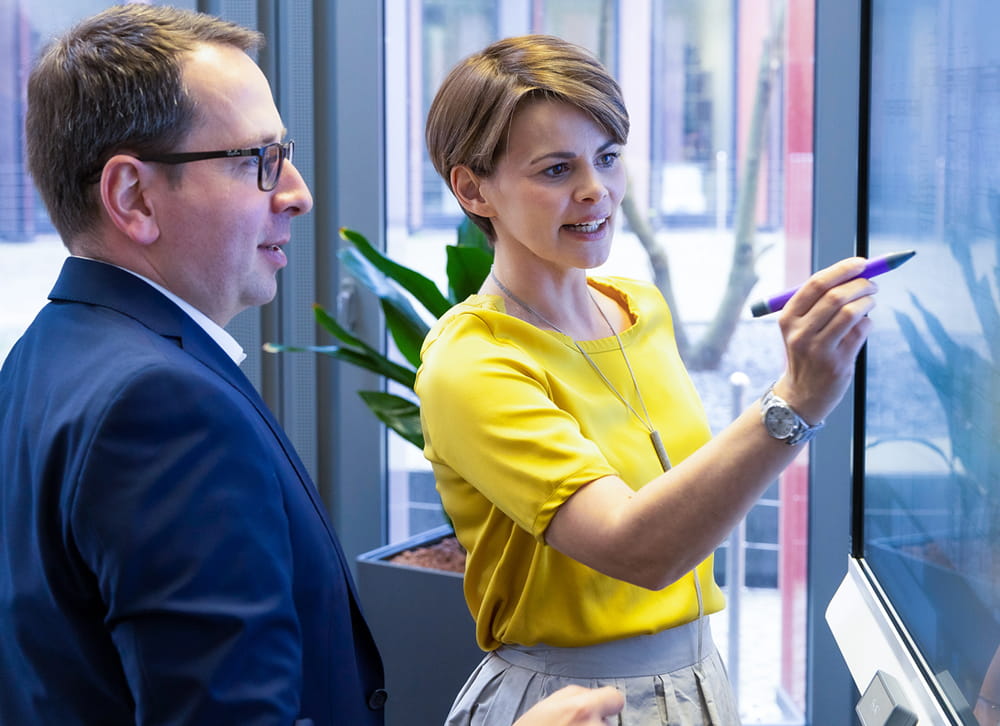
The 885ix makes interacting with your digital content a natural, intuitive experience. You can write with a pen or your finger and erase with your fist. You can use the touch screen to open documents, launch applications and navigate the Internet. And because the 885ix supports Microsoft Windows 7 touch gestures, you can manipulate objects with gestures like zoom, rotate, pan, flick and toss. Two people can write, erase and manipulate objects simultaneously – the 885ix automatically recognizes what each user is doing and responds accordingly. With the 885ix, you have more options for generating ideas, capturing feedback and ensuring your team is working toward a common goal.

Ink aware programs people collaborating with the smart board 885ix

Workspaces that inspire collaboration

The 885ix fosters a working environment where teamwork can thrive. It works as a complete solution – the entire system powers up in seconds with the touch of a single button. Its intuitive design invites use, and its powerful features inspire creativity. Whether you’re in a scheduled meeting or an impromptu collaboration session, you can access files on your network or USB drive – or you can connect to a laptop. Then you can mark up documents in Microsoft Office applications, like Word, Excel and PowerPoint, in digital ink and save and distribute them instantly via e-mail. Or you can save your whiteboard notes as PDF or PPT files that you can also send via e-mail. Either way, the entire team’s feedback and ideas can be captured, and everyone has the most recent files available when they get back to their computers.

SMART Board 885ix and GoWire

A complete, integrated system

The 885ix combines a SMART Board interactive whiteboard powered by SMART’s DViT (Digital Vision Touch) technology, an ultra-short-throw projector that virtually eliminates shadows and glare, a multiuser Pen Tray that controls on-screen functions and SMART Meeting Pro software, which enables writing in digital ink over the standard office software applications you use every day. You can also install the software on your computer or use the included SMART GoWire auto-launch cable to connect laptops, with no installation required. There’s also an extended control panel that provides centralized control over the entire system and a USB port for peripherals, like laptops or DVD players. The 885ix is built to deliver a precise and intuitive touch experience, stunning image quality and the flexibility to suit your collaborative needs.

Multitouch interface

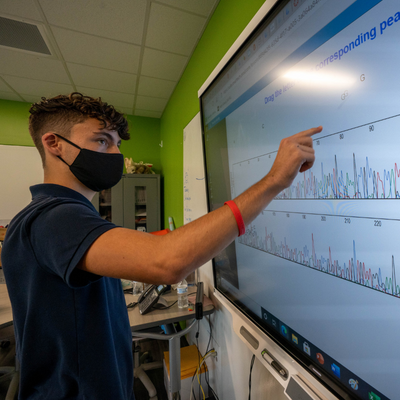
Two people can simultaneously write, perform mouse functions, erase and manipulate objects on the interactive whiteboard surface – no special tools are required.

Freestyle interaction

The 885ix enables two people to instantly start working together without having to switch into a separate multiuser mode or work in a confined area. And users can individually complete actions, like writing in digital ink or moving objects with their fingers. It’s perfect for freestyle collaboration and brainstorming.

Touch gestures

Use simple, intuitive hand and finger gestures to work with content, including one- and two-finger navigational gestures, such as panning and flicking pages – and object gestures, including zoom, toss and rotate. The 885ix also supports touch gestures found in Microsoft Windows 7.

Object awareness

The 885ix uses cameras to identify when you switch between your finger, a pen or an eraser. You can also write with a pen, erase with your palm and move objects with your finger without having to press buttons, access on-screen menus or replace tools in the Pen Tray.

SMART Ink

Just pick up a pen and start writing. SMART Ink smoothes out your handwriting to improve legibility. You can write notes over any application and save them as PPT or PDF files, or save notes into Microsoft Office 2010 applications like Word, Excel, PowerPoint, Visio and OneNote, as well as Adobe Acrobat Professional. You can also turn handwritten notes into text objects that you can manipulate.

Multiuser Pen Tray

Pick up one of the pens or the eraser and the Pen Tray automatically detects which tool you’ve selected. Buttons on the Pen Tray select the color and launch the On-Screen Keyboard, right-click and help functions.

Modular design

The Pen Tray includes two wings on the side that allow you to add accessories, such as SMART projector controls and Bluetooth modules.

SMART GoWire auto-launch cable

With the SMART GoWire, you can connect a guest laptop to the 885ix and run SMART Meeting Pro software, with no installation required. It’s perfect for workspaces that are not network-enabled, or where guest laptops are frequently connected.

Quick start

With the 885ix, your computer, projector and SMART Board interactive whiteboard are all connected, so you can turn the entire system on quickly with the push of a single button – everything powers up in 60 seconds.

Superior image quality

The SMART UX60 projector uses BrilliantColor technology by Texas Instruments to produce high levels of brightness and contrast. Videos, web pages and other documents will look crisp and bright from virtually every position in the room. The ultra-short-throw projector offers a 16:10 aspect ratio and native WXGA (1,280 x 800) widescreen resolution and is positioned directly above the SMART Board interactive whiteboard, virtually eliminating shadows and glare.

Front-of-room, centralized control

Switch between all your audiovisual devices directly from the extended control panel. The panel provides centralized control of the entire system, including peripheral devices like DVD players, digital cameras and laptops. The extended control panel also has a USB port that enables you to connect two computers to the SMART Board interactive whiteboard and easily switch between them as required.

Simple installation

Make precise projector alignment a snap – the 885ix includes a multiaxis, adjustable wall mount. The projector is mounted directly above the interactive whiteboard, so virtually any workspace can accommodate the 885ix without complicated wiring or ceiling mounting.

Filter free

The filter-free design of SMART’s UX60 projector eliminates the need for filter cleaning or replacement.

Network-enabled projector

Connect the SMART UX60 projector to your IP network to send and receive commands to and from the web server or SNMP client. As a networked interactive whiteboard system, the 885ix has asset management features that enable you to control and manage the projector remotely.

Long-lasting lamp

The SMART UX60 lasts for 3,000 hours in standard mode and 4,000 hours in economy mode.

SMART Board 885ix overview

Watch the SMART Board 885ix Interactive Whiteboard System Overview video on YouTube.


Find technical information on this product, including details such as operating system requirements, physical specifications and shipping size and weight.

SMART Board 885ix interactive whiteboard system


885ix - Full specifications

Product warranty

Review SMART product warranties and check warranty periods for registered products.

Want to find out more?

Fill out form

Fill out our contact request form and we’ll get in touch with you to discuss what SMART solutions can do for your organization.

Where to buy

Illustration of magnifying glass over earth

Are you ready to purchase SMART products? Find an authorized reseller near you.

SMART support

Illustration of man wearing headset

Choose from a range of support options, from our extensive knowledge base of easily accessible technical documents to one-on-one, direct contact with experienced technical support staff via webchat, e-mail or telephone.